












































































TMC Plugins

For Adobe After Effects

The All in One plugin packfor MV and motion graphics.

One purchase gets you 25 After Effects plugins, covering everything from 67 tools that speed up your work to color grading, special effects, and compositing.

One-time purchase, yours to keepWindows · macOS supportedCommercial use allowed

Videos made with TMC Plugins

Most of my recent videos were made with TMC plugins alone, without any other third-party plugins.

1 / 2
  • 25After Effects plugins
  • 67Workflow tools in Toolbox
  • 32bpcSupports 8 · 16 · 32bpc color depth
  • Win · MacSupports both Windows and macOS (Intel Macs included)
Key features

Light and fast,
built for real production work

Using several at once is no problem!

In video work, you end up stacking several effects on top of each other. These plugins were built with optimization and stability as the top priority, so that applying several at once doesn't slow your work down.

  • GPU acceleration is supported through CUDA on NVIDIA, OpenCL on AMD and Intel, and Metal on Mac. (Coverage varies by plugin.)
  • Even on a computer with no GPU, or with one that isn't powerful enough, every feature works the same on the CPU.
  • Multi-Frame Rendering is supported.
  • Particles and glass shards need no pre-simulation. You get the result right away at any point on the timeline.
Above all they are far lighter than the tools I had, and the care put into usability shows, so you feel the difference straight away on a real job.Tester review

I made them to use in my own work.

These plugins were made for my own work from the very start. I tested them for more than six months with creators of anime-style MVs, and most of the videos I make now are done with TMC plugins alone, without any other third-party plugins.

The best plugin pack out there, made by a working professional for working professionals.Tester review

TMC Plugins, built together with you

Send me feature requests, suggestions, or problem reports. I'll see whether they're possible, consider them with an open mind, and work in what I can. Problems in particular get checked first and fixed quickly. These plugins are refined together, through the feedback of the people who use them.

Send to
  1. 1

    Send it in

    Feature requests, suggestions, problem reports: I take all of it by email. The more specific you are, the more it helps.

  2. 2

    I review it

    I check whether it can be done, and I try to include whatever is possible. Problems that get in the way of your work are handled first.

  3. 3

    It reaches you as an update

    The changes reach you as updates through TMC Hub, and I write up what changed in Hub's News tab and on this site.

I hope TMC Plugins keeps getting better, so that everyone can work comfortably within the TMC Plugins ecosystem. I'll work hard to live up to your support and make these plugins a real help in your work.
TEMACA

A huge range of features, yours forever with one purchase.

The pack holds 25 plugins covering color grading, light, special effects, 3D, type, and workflow tools. It's not a subscription, so once you buy it you can use it with no time limit and keep getting updates.

  • One licence works on up to 2 computers, and you can mix Windows and Mac.
  • You can use it for personal work and also for commercial work, such as freelance jobs and client deliverables.
WorkflowColor & compositingLightLayer stylesAnime & comicFX & lens3D & simulationType

Easy installs and updates with TMC Hub

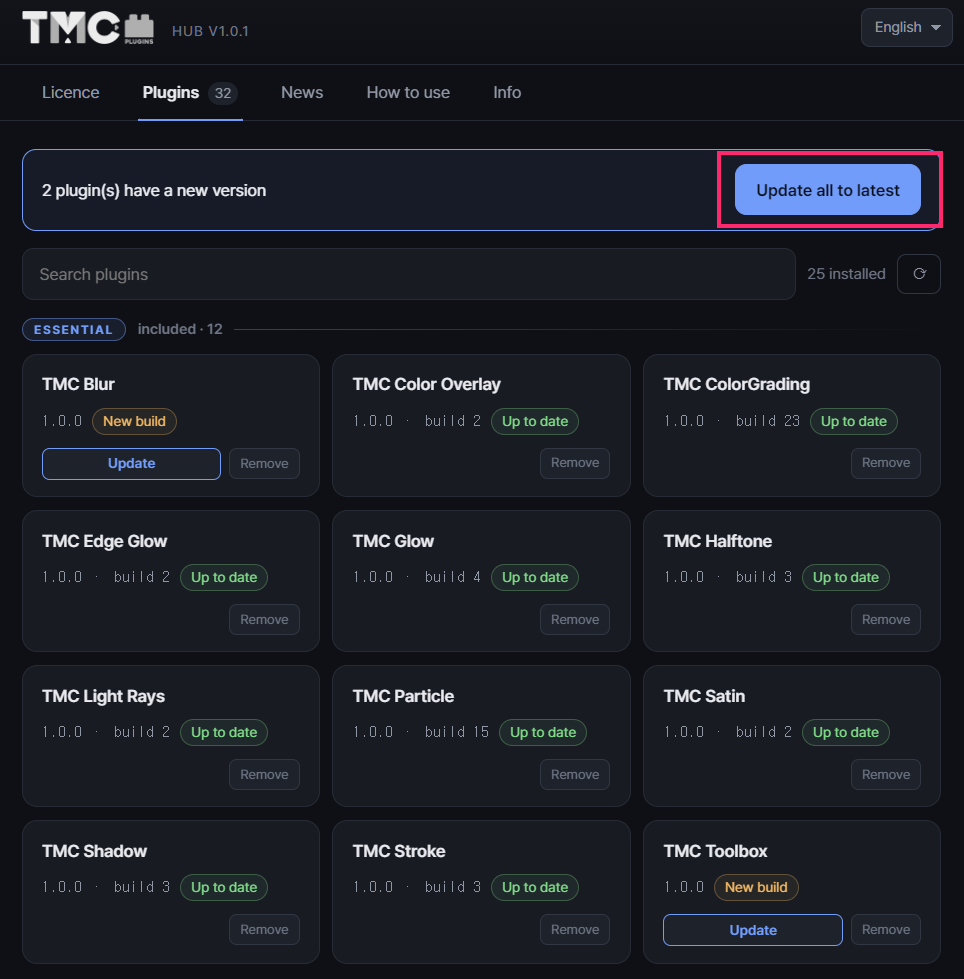
TMC Hub, the dedicated manager app, handles plugin installs, updates, and licence activation. No matter when you bought, it always installs the latest version.

  • Install every plugin with a single Install all button (or pick just the ones you want)
  • Get notified when a new version is out, and update everything at once with the Update all to latest button
  • Installs to Adobe's shared folder, so even with several versions of After Effects you only install once
  • When you change computers, deactivate the licence and activate it again on the new one
TMC Hub Licence screen

All plugins

Click a plugin to see what it does and how to use each parameter. Essential includes 12 plugins, and Pro includes all 25.

TMC Toolbox

Essential

An all-in-one panel with 67 useful tools for your work

CPU

TMC ColorGrading

Essential

One plugin for film LUTs, grain, vignettes, and other color grading effects

GPU8 · 16 · 32 bpc203 parameters

TMC Particle

Essential

A lightweight plugin for many kinds of particles

GPU8 · 16 · 32 bpc291 parameters
Color Overlay

TMC Color Overlay

Essential

Apply solid colors and gradients to layers for easy compositing

CPU8 · 16 · 32 bpc16 parameters

TMC Glow

Essential

A plugin for bloom and glow looks

GPU8 · 16 · 32 bpc79 parameters

TMC Edge Glow

Essential

A neon-line glow that lights up only the outlines

GPU8 · 16 · 32 bpc38 parameters

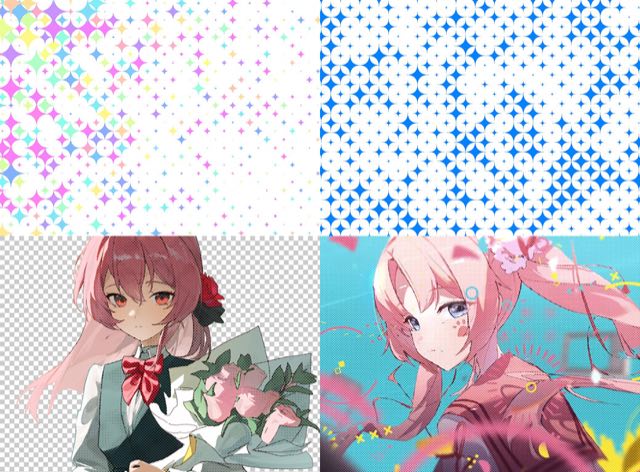
TMC Halftone

Essential

Generates a halftone pattern on a layer

GPU8 · 16 · 32 bpc60 parameters

TMC Stroke

Essential

Strokes along a layer's outline

GPU8 · 16 · 32 bpc45 parameters

TMC Light Rays

Essential

Rays of light (god rays) spreading from a single point

GPU8 · 16 · 32 bpc27 parameters

TMC Shadow

Essential

Three kinds of shadow: Drop, Inner, and Long

GPU8 · 16 · 32 bpc49 parameters

TMC Satin

Essential

Satin shading that follows the layer's shape

GPU8 · 16 · 32 bpc43 parameters

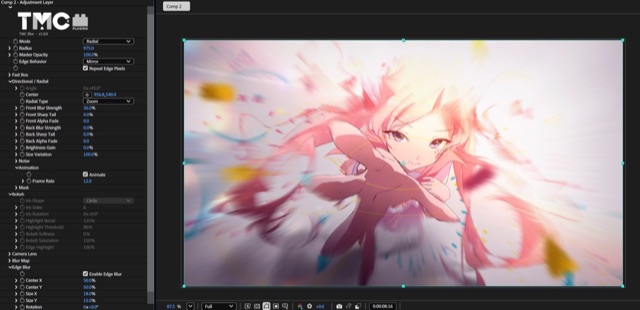
TMC Blur

Essential

A plugin that brings 6 types of blur together

GPU8 · 16 · 32 bpc59 parameters

TMC 3DStroke

Pro

3D strokes built from paths you draw freely

GPU8 · 16 · 32 bpc221 parameters

TMC Paper

Pro

3D simulation of paper falling and crumpling

CPU8 · 16 · 32 bpc115 parameters

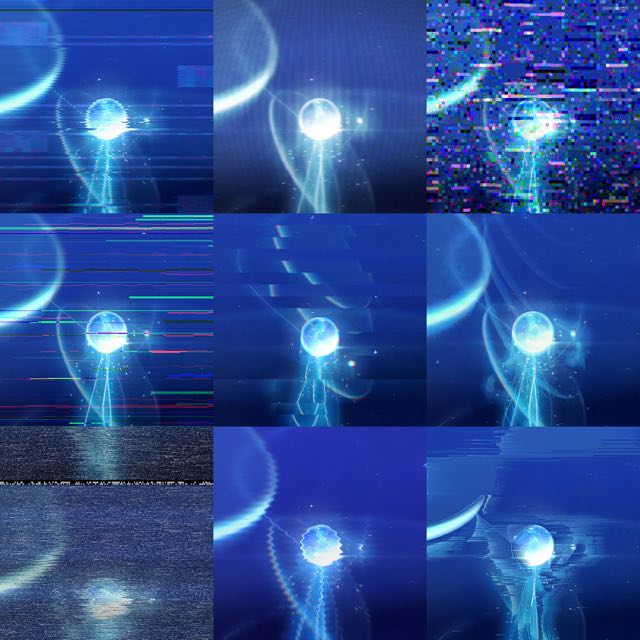
TMC Glitch

Pro

An all-in-one glitch plugin with 21 glitch modules

GPU8 · 16 · 32 bpc352 parameters
Posterize Time

TMC Posterize Time

Pro

A light, fast frame-dropping plugin

CPU8 · 16 · 32 bpc7 parameters

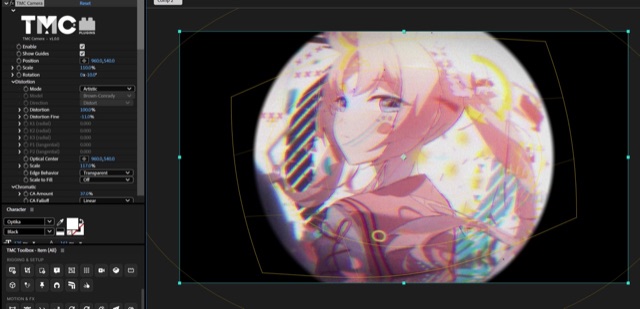
TMC Camera

Pro

Lens distortion, film, and VHS camera looks

GPU8 · 16 · 32 bpc102 parameters
Clipboard

TMC Clipboard

Pro

Paste images and videos from the clipboard with Ctrl+V

CPU

TMC Echo

Pro

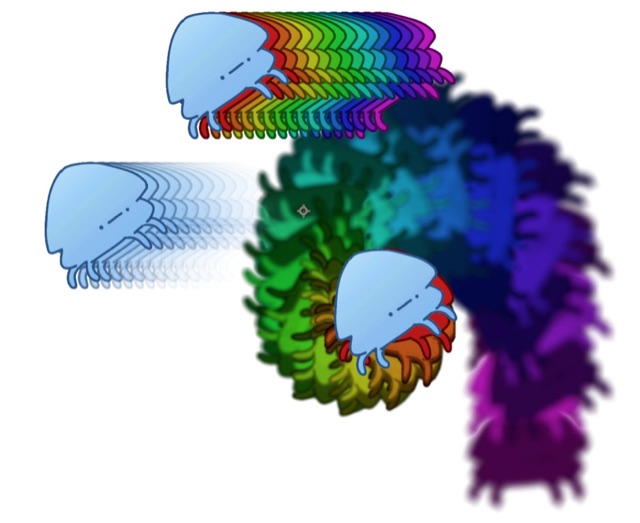
Frame-based echoes and motion trails

CPU8 · 16 · 32 bpc50 parameters

TMC Extrude

Pro

A plugin that extrudes layers into 3D

GPU8 · 16 · 32 bpc76 parameters

TMC Glass

Pro

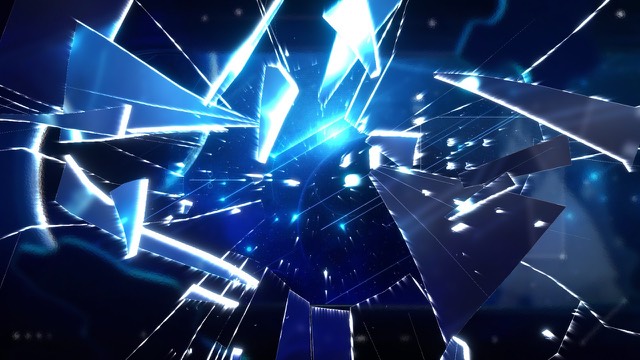
A plugin for glass distortion, Shatter, and more

GPU8 · 16 · 32 bpc114 parameters

TMC Speedline

Pro

Manga-style radial speed lines

CPU8 · 16 · 32 bpc82 parameters

TMC Toon

Pro

Anime cel shading and manga-style looks

GPU8 · 16 · 32 bpc57 parameters

TMC Typo Designer

Pro

A decoration plugin for text layers

CPU8 · 16 · 32 bpc145 parameters

TMC Bevel

Pro

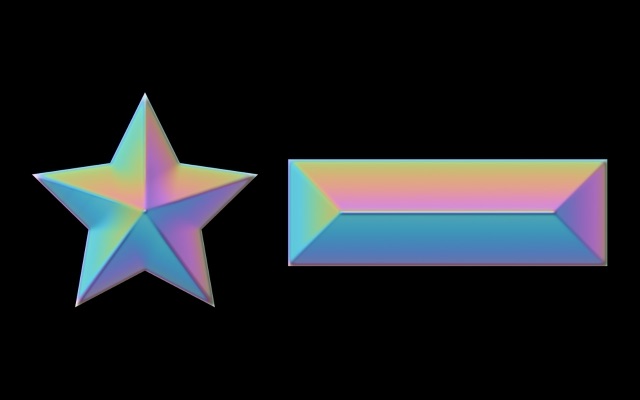
Applies a bevel effect to a layer

GPU8 · 16 · 32 bpc48 parameters
+ plugins added laterPro owners get them at no extra cost.
TMC Toolbox

67 tools that speed up your work

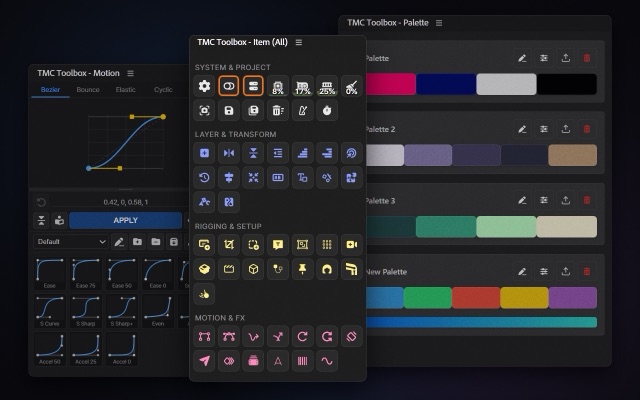
Common tasks such as switching renderers, clearing the cache, adding BPM markers, aligning layers, splitting text, puppet rigging, and keyframe easing are done with a single button. Instead of opening several script panels, you just keep Toolbox open, and you can change the button size, the order, and which tools to hide however you like.

Ring (Pie Menu): Press Space+Tab and 8 frequently used tools appear in a circle at the mouse position. You can also search for effects right there.

5 Item panelsRing (Pie Menu)Motion (easing graph)Palette (color palette)Memo (lyrics and reference notes, Pro)Settings
More about Toolbox

System & Project 17

  • Preferences & Info
  • Multi-Frame Rendering On/Off
  • Renderer Switcher
  • Change Bit Depth
  • CPU Usage
  • GPU Usage
  • RAM Usage
  • Disk Cache Purge
  • Preview Screenshot
  • Import MasterNEW
  • Folder SettingNEW
  • Replace LayerNEW
  • Save
  • Save As
  • Remove Unused Footage
  • BPM Marker
  • WorkLog

Layer & Transform 20

  • Fit Solid Layer
  • Flip Horizontal
  • Flip Vertical
  • Layer Shifter
  • Step Shifter
  • Shuffle Shifter
  • Target Layer
  • Time Reverse
  • Align Position
  • Anchor Point Center Align
  • Paragraph AlignNEW
  • Source Text to Name
  • Text Decompose (Layer)
  • Text Decompose (Shape)
  • Shape MergeNEW
  • Shape SeparateNEW
  • Vector to PathNEW
  • Layer Scatter
  • One Text Animation
  • Image to Shape

Rigging & Setup 17

  • Auto Composite
  • Comp Crop
  • Smart Add Null
  • Add Text Layer
  • Add Adjustment
  • Add Grid
  • Camera & Null
  • Parallax
  • UnPrecomp
  • Cinematic LetterBox
  • Box Space
  • Link Rope
  • Pin Control
  • Wave Bone
  • Joint Bone
  • Physics Rigging
  • Rigid LayerNEW

Motion & FX 13

  • Keyframe Linear
  • Keyframe Bezier
  • Elastic Key
  • Bounce Key
  • LoopOut Cycle
  • LoopOut Pingpong
  • Smart Wiggle
  • Follow to Path
  • Motion Baker
  • Frame Drop
  • Slim Text
  • Easy Flicker
  • Wave Path

How did the TMC plugins come about?

It started as a project meant only for me. As I worked in After Effects, frustrations kept piling up: "I wish this could be done in one go." "Why is there nothing for this?" "Why doesn't this work?" In the end, I started developing the tools myself, for my own use.

Other artists around me showed a lot of interest, so I shared the plugins with a small group and kept developing and testing them for more than six months. The TMC plugins as they are today came out of all the help and feedback from people who actually make anime-style MVs.

Even now, most of the videos I make are done with TMC plugins alone, without any other third-party plugins. When something is inconvenient, I'm the first to notice, so I fix it and release an update right away.

Made byTEMACA

Music Video Director (with Tebin) & Motion Graphics Designer

Studio. Amulse

Reviews

These are reviews from buyers and testers, shared as written. Reviews written in other languages are shown in translation.

It is not a matter of a few more features; the way you work itself climbs a step. You only changed tools, and yet the texture of the work changes.
Translated from Korean
These days I reach for TMC before my old plugins, and they have become an essential part of how I make videos.
Translated from Korean
TMC Plugins has become something I cannot work without, and on the videos I am making these days I use no plugins other than TMC.
Translated from Korean
goat
I think it is a polished plugin pack that everyone from complete beginners to seasoned pros can be happy with!
Translated from Korean
Updates practically every day. But I always look forward to checking what's in them. The TMC Hub News tab is my Twitter.
Translated from Korean
What's good about TMC plugins → fun, light, cheap (one-time purchase, ¥30k)
Translated from Japanese
Above all, it is striking how much thought went into making it easy to use. Everywhere you look there are signs of decisions made from the user's side rather than the maker's.
Translated from Korean
The more effects you stack, the heavier a project tends to get, so the fact that TMC keeps the working environment relatively light even with a lot of effects applied counts for a great deal.
Translated from Korean

Plans

It's a one-time purchase, not a subscription, and it's yours to keep. If you buy Essential, you can still upgrade to Pro later by paying just the difference.

EssentialPro

When you buy Essential, a personal one-time upgrade coupon appears in the Licence tab of TMC Hub. Buying Pro with it for $100 gets you a new Pro licence key, which you then use to activate again in TMC Hub.

Perpetual licenceBuy once, use with no time limit
2 computersMix Windows and Mac
Commercial use allowedPersonal work, freelance jobs, and client deliverables
TMC Hub includedInstalls, updates, and device management

Checkout is handled by Gumroad, and after purchase you receive your licence key and the TMC Hub installer. Prices are in USD. Refunds are available only if requested within 7 days of the purchase date.

Requirements and compatibility

After Effects2024 or later (25.6 or later recommended)
WindowsWindows 10 or later (64-bit)
macOSSupports both Apple Silicon and Intel Macs
GPU accelerationNVIDIA (CUDA), AMD · Intel (OpenCL), Mac (Metal). On systems with no GPU, or where acceleration isn't available, it switches to the CPU automatically, with the same features.
Color depth8 · 16 · 32 bpc
Multi-Frame RenderingSupported
Command-line renderingWorks the same in aerender, as long as it's the same computer.
InternetNeeded for installation and activation. After that you don't need to stay connected, and activation renews automatically at regular intervals.
Please check before you buy
  • For After Effects only. Premiere Pro is not supported.
  • On a company computer, first check whether you're allowed to install software (administrator rights, security policy).
  • Some security software (such as Kaspersky) may block installation as a false positive.
  • In some regions, such as China, you may need a VPN to reach the activation server.
  • The first time you run it, Windows SmartScreen or a macOS confirmation dialog may appear. The guide explains how to get past them.

Frequently asked questions

Which versions of After Effects does it work with?

It works with After Effects 2024 or later, and 25.6 or later is recommended. Support for 2024 was added in a patch and hasn't been verified on every setup, so if you run into a problem, please let me know by email.

The plugins are installed in Adobe's shared folder, which every AE version reads, so even if you use several versions, you only need to install once.

How many computers can I use it on?

One licence key works on up to 2 computers at the same time, and you can mix Windows and Mac.

When you switch computers, press Deactivate this device in TMC Hub on the old computer and the seat frees up right away. There's no limit on how many times you can do this. If you reformat the same computer and reinstall, it's still recognized as the same device.

I bought Essential. Can I upgrade to Pro later?

Yes. When you buy Essential, a personal one-time upgrade coupon appears in the Licence tab of TMC Hub. Press Upgrade to Pro to open a checkout page with the coupon applied, and you can buy Pro for $100.

After checkout, a new Pro licence key is sent to your purchase receipt email and your Gumroad library. Enter that Pro key in the Licence tab of TMC Hub and press Activate. It can take about 5 to 10 minutes for the change to show up.

Once the Pro key is issued, your Essential key can no longer be activated, and the computers registered with it are removed. Activate again with the Pro key on each computer you use. The 2-computer limit stays the same. If you pass the coupon on to someone else, your own key may be deactivated, so please keep it for your own use.

Can I get a refund?

Refunds are available only if you request one within 7 days (1 week) of the purchase date. After 7 days have passed, a refund is no longer possible.

To request a refund, email temacaworks@kakao.com with the email address you used for the purchase.

Once a refund is processed, that key's access is removed and the devices registered to it are deactivated.

Will I also get plugins released in the future?

With Pro, you get the current 25 plugins plus any plugins added to TMC Plugins Pack in the future, at no extra cost.

The plugins included in Essential also continue to receive updates.

Do I need to stay connected to the internet?

No. You only need a connection to install and activate. After that, TMC Hub renews your activation automatically.

Each renewal stays valid for 3 days. About 3 days after you last ran TMC Hub, the plugins become unlicensed and a watermark appears on your output. So if you've been offline for a long time, connect and press Renew licence once in the Hub.

Start working with TMC Plugins

Buy it once and keep using it, with steady updates along the way.