
TMC Plugins
ProGPU

TMCGlitch

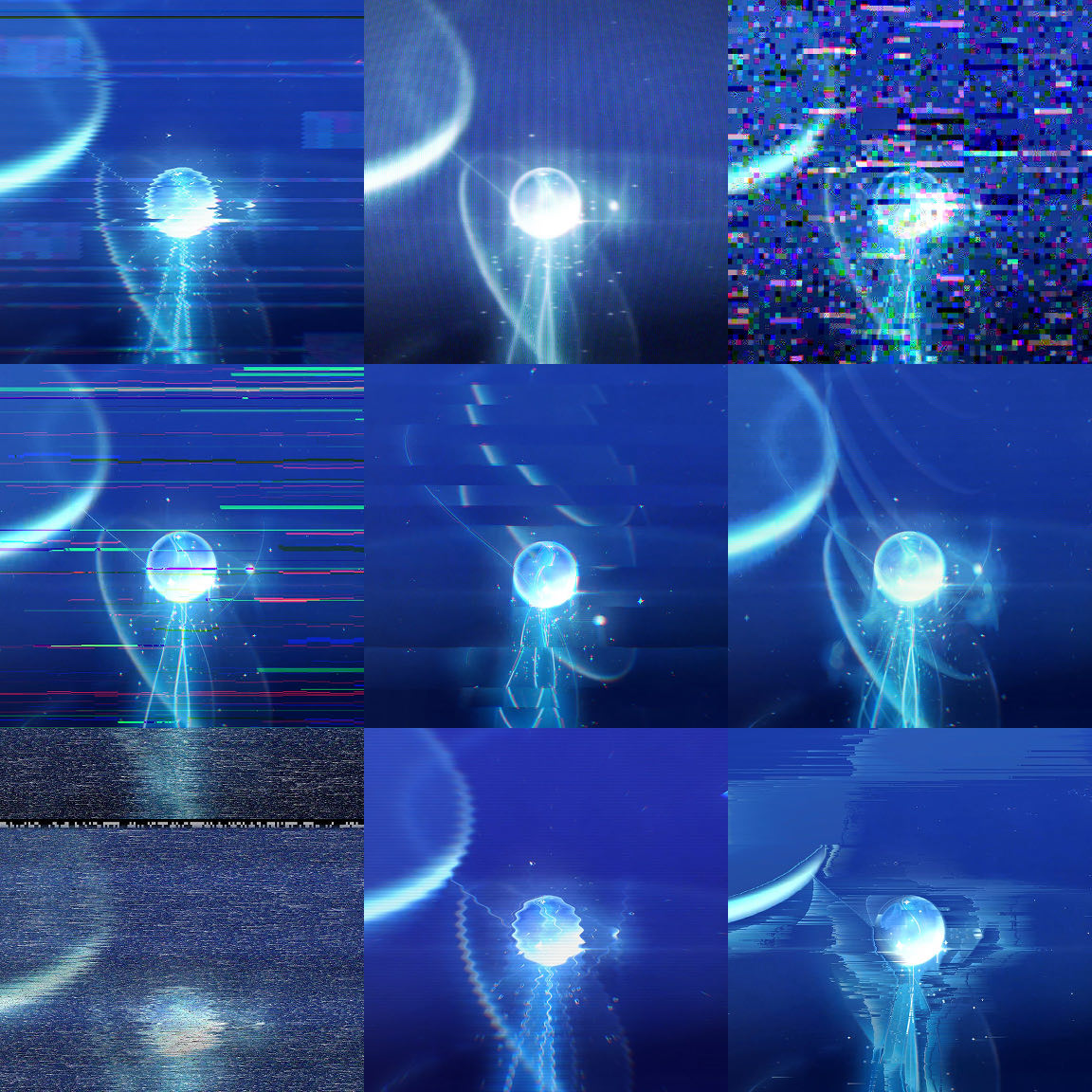
An all-in-one glitch plugin with 21 glitch modules

Brings 21 glitch features together in one effect. Choose a look with the Preset Browser and the real-time editor, and set when the glitches fire.
Effect menu
Effect › TMC › TMC Glitch
Acceleration
GPU + CPU
Color depth
8 · 16 · 32 bpc
Multi-Frame Rendering
Supported
Parameters
352

Key features

01

21 glitch modules

Turn on and combine any of 21 modules, including Time Stutter, Datamosh, Block Displace, Pixel Sorter, RGB Split, Interference, Scanlines, and Glitch Signal.

02

19 Look Presets and the Preset Browser

Browse the 19 Look Presets (VHS Tear, Data Corrupt, RGB Shatter, Vaporwave, Dead CRT, and more) as moving thumbnails drawn through the actual render pipeline, and pick one.

03

Set glitch timing with Trigger

Use Trigger Mode (Always On, Interval, Random, Slider), Chance, and Duration to decide when glitches fire and how long they last.

04

Glitch Signal (analog signal chain)

Glitch Signal models composite encoding, VCR transport, and CRT display in their physical order.

05

Radial, circular, and spiral Pixel Sorter

Besides Linear, Pixel Sorter's Trajectory can sort along Radial, Circular, and Spiral paths.

Quick start

Follow these steps in order the first time.

  1. Apply Effect › TMC › TMC Glitch to a layer or an adjustment layer.
  2. Choose a look in Look Preset, or pick one from the moving thumbnails in the Preset Browser.
  3. In Trigger, decide whether the glitch runs all the time (Always On) or fires at set intervals or at random.
  4. Open the module group you want, turn on its Enable checkbox (for example, Enable Datamosh), and fine-tune the strength. To experiment with values safely, adjust them in the Glitch Editor window and then click Apply.

Parameter guide

Listed in the same order as the Effect Controls panel.

Effect Controls · TMC GlitchClick a group to expand it
Basic parameters8
Look Preset
Look preset pop-up menu that sets up all 21 modules at once
19 presets
Preset Browser
Button that opens a window for choosing presets with thumbnail previews
Glitch Editor
Master Amount
Master slider that multiplies the strength of every module
Master Seed
Value that changes the random patterns of all modules at once
Effect Scale
Multiplier that scales all pixel-based sizes up or down at once
Edges
How samples that fall outside the frame are handled
WrapClampMirrorTransparent
Max Time Frames
Upper limit on how many other frames the time-based modules can load at once (limits memory use)
Mask5
Mask
Layer mask that limits where the effect applies (None = the whole layer)
NoneMask 1Mask 2Mask 3Mask 4Mask 5Mask 6Mask 7
Invert Mask
Flips the inside and outside of the mask to switch where the effect applies.
Mask Feather
The width over which the mask edge is softened
Mask Expand
Mask Strength
Trigger10
Trigger Mode
Pop-up menu for choosing when the glitch fires
Always OnIntervalRandomSlider
Interval (sec)
Start Jitter
How much the start of each interval is randomly shifted
Duration
Duration Random
Amount of random variation in how long each burst lasts
Chance
In Random mode, the probability that a given interval actually fires
Peak Position
Where the strength peaks within the burst, as a fraction of its duration
Ramp
How gradually the strength rises and falls around the peak (trigger envelope)
Trigger Slider
Manual trigger value you keyframe by hand in Slider mode
Update Rate (Hz)
Times per second the random patterns are re-rolled (0 = every frame; lower values give a stepped look)
Time Stutter6
Enable Time Stutter
React to Trigger
Whether this module fires with the Trigger settings or stays on all the time
Mode
Hold (FPS)Random HoldJumpReverse Burst
Hold FPS
Frame rate at which frames are held; lower values are choppier
Randomness
In Random Hold mode, how much the held frame is randomly shifted
Max Jump
Maximum number of frames skipped at once in Jump mode
Time Displace9
Enable Time Displace
React to Trigger
Whether this module fires with the Trigger settings or stays on all the time
Mode
BandsBlocksRows (Jello)ColumnsPer-Channel
Max Shift (frames)
Maximum number of frames a region can be pushed back in time
Time Levels
Number of levels the time offset is quantized to
Size
Angle
Feather
The width over which edges are softened
Interlace
Frame Echo11
Enable Frame Echo
React to Trigger
Whether this module fires with the Trigger settings or stays on all the time
Echoes
Spacing (frames)
Frame spacing between echoes
Decay
Opacity
Blend
BehindOverAddScreenLighten
Age Tint
How much older echoes are tinted toward the Tint Old color
Tint Recent
Color used for the most recent echo
Tint Old
Color used for the oldest echo
Motion Gate
Threshold that leaves echoes only where there is motion
Datamosh21
Enable Datamosh
React to Trigger
Whether this module fires with the Trigger settings or stays on all the time
Mode
MeltBloomSwap
Mosh Amount
How much of the datamosh result is mixed into the original
Mosh Window
Length of the frame window over which vectors accumulate
Refresh Every (frames)
How many frames between new reference frames (I-frames)
Refresh Chance
Chance per frame of taking a new reference, independent of the interval
Block Size
Side length in pixels of the macroblocks used for motion search
8 px16 px32 px
Search Range
Maximum radius that block matching searches for each block (px)
Velocity
Multiplier applied to the detected motion vectors
Diffusion
Amount of random jitter added to each block's motion vector
Motion Threshold
Vector Algorithm
Pop-up menu for choosing how to process the vectors found by block matching
OriginalAverage (drift)ZoomSweepSineMirrorInvertClear XClear Y
Damage
In Melt mode, the chance that a block randomly snaps back to the clean picture
Residual
How much of the current, uncorrupted frame is mixed back into the moshed result
Bloom Repeats
Acceleration
Stripe Noise
Strength of the broken-compression stripes laid over blocks, stronger the longer a block has been corrupted
Donor (Swap)
In Swap mode, another layer whose motion is borrowed to smear this one
Mosh Map
Layer that sets the datamosh strength per pixel
Invert Mosh Map
Block Displace24
Enable Block Displace
React to Trigger
Whether this module fires with the Trigger settings or stays on all the time
Small Amount
How much of the frame the small block group covers
Small Size
Size of each small block (px)
Small Aspect
Aspect ratio of the small blocks
Small Displace X
Maximum horizontal displacement of the small blocks
Small Displace Y
Maximum vertical displacement of the small blocks
Medium Amount
How much of the frame the medium block group covers
Medium Size
Size of each medium block (px)
Medium Aspect
Aspect ratio of the medium blocks
Medium Displace X
Maximum horizontal displacement of the medium blocks
Medium Displace Y
Maximum vertical displacement of the medium blocks
Wide Amount
How much of the frame is covered by wide bands spanning its full width
Wide Height
Height of each horizontal band (px)
Wide Displace X
Maximum left-right displacement of the horizontal bands
Complexity
How much the block edges are distorted (0 = clean rectangles; higher = more irregular shapes)
Pattern Size
Size of the small patches that color the inside of the blocks
Color Amount
How much color is applied to the displaced blocks
Color Blend
Blend mode for laying the color over the blocks
NormalAddScreenDifferenceExclusion
Color Saturation
Tint A
Color at one end of the block color gradient
Tint B
Color at the other end of the block color gradient
Per-Channel Blocks
Each block displaces only one of R, G, or B so the colors split apart
Alpha Knockout
Sets alpha to 0 where blocks were displaced so the background shows through
Slice Shift14
Enable Slice Shift
React to Trigger
Whether this module fires with the Trigger settings or stays on all the time
Max Shift
Maximum horizontal shift of a slice (px)
Fill Right
Proportion of slices shifted to the right
Fill Left
Proportion of slices shifted to the left
Height Min
Minimum height of a slice (px)
Height Max
Maximum height of a slice (px)
Angle
Wavy
How much slice edges wave instead of staying straight
Wavy Frequency
How many times the wave repeats down the frame
Jitter
Amount of random variation in each slice's shift
Line Duplication
Line Drop
How much every other row is faded out to transparent
Skew
Varies the slice shift with vertical position so slices slant like a parallelogram
Warp Distort13
Enable Warp Distort
React to Trigger
Whether this module fires with the Trigger settings or stays on all the time
Waveform
SineTriangleSquareNoiseFractal
Axis
Whether the wave runs along rows, columns, or both
RowsColumnsBoth
Amplitude X
Amplitude Y
Frequency
Speed
Phase
Angle that offsets the phase of the wave
Harmonics
Number of harmonics layered on top of the base waveform
Detune
Pushes harmonic frequencies slightly off whole-number multiples so they waver
Luma Drive
How much luminance drives the displacement, so brighter pixels move farther
Chromatic
Displaces R, G, and B by slightly different amounts so the colors split
Shake10
Enable Shake
React to Trigger
Whether this module fires with the Trigger settings or stays on all the time
Style
NormalTwitchyJumpy
Amplitude
Frequency
Zoom
Amount of zoom added along with the shake
Rotation
Stillness
In the Twitchy style, the proportion of time spent still instead of shaking; higher values make the shake more sporadic
Drift
In the Jumpy style, how much the shake center slowly drifts
RGB Split
Amount of channel separation during the shake, smearing the colors
Codec Corrupt15
Enable Codec Corrupt
React to Trigger
Whether this module fires with the Trigger settings or stays on all the time
Block Size
Side length of the compression blocks (macroblocks)
8 px16 px32 px
Color Space
RGBYUV
Chroma Subsample
How much chroma information is thinned out (4:4:4/4:2:2/4:2:0; when Color Space is YUV)
4:4:44:2:24:2:0
Quality
Compression quality (lower values make the blocks more visible)
Frequency Scale
Multiplier that boosts or reduces DCT coefficients by frequency band
Scale Component
Which direction's coefficients the scale above applies to
AllHorizontalVertical
DC Corrupt
Corrupts each block's DC coefficient (average brightness) so whole blocks change color
Scan Streaks
Amount of long sideways streaks where brightness and color drift from one point in a block row to the next restart point
Garbage Blocks
Proportion of blocks whose contents are replaced entirely with random data
Offset Runs
How often runs of consecutive blocks are shifted sideways as a whole
Restart Interval
Spacing of JPEG restart markers; errors stop and resync at each interval
Mosquito Noise
Compression noise that clings around edges as ringing
Amplitude
Tile Corrupt8
Enable Tile Corrupt
React to Trigger
Whether this module fires with the Trigger settings or stays on all the time
Tile Size
Density
Operation
Pop-up menu for choosing how the tile data is corrupted
ShuffleBank ShiftRepeat RunsGarbageMixed
Run Length
Number of consecutive tiles in each repeat or offset run
Bank Offset
How far tile indices are shifted in Bank Shift and Mixed
Palette Corrupt
How often tile colors are swapped as if the color palette were misaligned
Databend14
Enable Databend
React to Trigger
Whether this module fires with the Trigger settings or stays on all the time
Mode
Byte OpsPNG PredictorSonification
Amount
Byte Offset
Stride Error
Bit Op
NoneXORANDOR
Bit Mask
8-bit constant used by the Bit Op operation above
Predictor
PNG row filter type
SubUpAveragePaethMixed
Hits
Proportion of rows that actually get corrupted
Resync Rows
How many rows between data realignments
DSP
Type of processing applied in Sonification mode, treating pixels as an audio signal
EchoPhaserInvert
Delay (px)
How many pixels later the echo comes back
Feedback
How much of the returned signal is fed back in
Pixelate & Bitcrush9
Enable Pixelate & Bitcrush
React to Trigger
Whether this module fires with the Trigger settings or stays on all the time
Pixelate
OffSquareRGB TriadDotPolar
Pixel Size
Size of each grid cell (px)
Bit Depth
Bits kept per channel; lower values clump colors together
Dither
NoneBayer 2x2Bayer 4x4Bayer 8x8PS1 4x4Random
Dither Amount
Strength of the dither pattern
Palette
4 palettes
Overflow Wrap
Pixel Sorter26
Enable Pixel Sorter
React to Trigger
Whether this module fires with the Trigger settings or stays on all the time
Sort Amount
How much of the sort result is mixed into the original
Show
Diagnostic pop-up menu that shows an intermediate image used for sort decisions instead of the result
ResultSort ValuesThreshold MaskRestart Noise
Threshold Channel
Which channel's values decide the sort spans
LuminanceLightnessHueSaturationRedGreenBlueAlpha
Threshold Low
Lower limit of the Threshold Channel value for pixels to be sorted
Threshold High
Upper limit of the Threshold Channel value for pixels to be sorted
Invert Threshold
Swaps the sorted and excluded areas
Smoothen
Blurs the sort decision map to smooth span edges
Cull Below
Discards sort spans shorter than this length so no stray specks remain
Random Restart
How often sort spans are randomly broken and restarted
Max Length
Maximum length of a sort span (px)
Length Random
Amount of random variation in span length
Blocks
Number of blocks each line is cut into and sorted separately
Sort Key
Which channel's values are actually compared when sorting
LuminanceLightnessHueSaturationRedGreenBlueAlpha
Sort Order
Ascending or descending order
AscendingDescending
Mirror
Folds each sorted span back at its middle to make it symmetric
Stretch
Sort Feather
Softly blends out both ends of each sort span
Trajectory
Which path pixels are swept along while sorting
LinearRadialCircularSpiral
Sort Angle
Direction of the linear path
Sort Center
Inner Radius
Radius of the inner area left unsorted
Ray Length
Arc Degrees
Angle range covered by the Radial and Spiral paths
Spiral
How much the radius changes with each turn of the spiral
RGB Split15
Enable RGB Split
React to Trigger
Whether this module fires with the Trigger settings or stays on all the time
Mode
LinearRadialAngularPer-BlockNoiseWave
Amount
Angle
Center
The center of the effect. Drag it in the Composition panel to move it.
Falloff
How much the effect weakens with distance
Red Weight
Relative amount the red channel is shifted
Green Weight
Relative amount the green channel is shifted
Blue Weight
Relative amount the blue channel is shifted
Channel Blur
Channel Opacity
Noise Scale
Size of the pattern in Per-Block, Noise, and Wave modes
Noise Speed
How fast the pattern moves over time in Per-Block, Noise, and Wave modes
Spectral Passes
Number of passes that split the channels repeatedly for continuous, rainbow-like chromatic aberration; at 1, only the three channels split
Color Corrupt11
Enable Color Corrupt
React to Trigger
Whether this module fires with the Trigger settings or stays on all the time
Invert Bands
Proportion of horizontal bands with inverted colors
Band Height
Height of each band (px)
Channel Swap
How often the R, G, and B channels are swapped with each other
Hue Cycle
Hue Speed
How fast the hue rotates over time
Posterize
Solarize
Luma Split
How far pixels are split left and right based on brightness
Overdrive
How far colors are pushed past their limits so they fold back into inverted bands
Dropout & Damage14
Enable Dropout & Damage
React to Trigger
Whether this module fires with the Trigger settings or stays on all the time
Streaks
Amount of long sideways streaks, like tape dropout
Streak Length
Length of each streak (px)
Black Streaks
Proportion of streaks that drop out to pure black
Band Frequency
How many times the horizontal bands where streaks gather repeat down the frame
Sparkles
Amount of sparkle noise: individual white dots that flash
Style
How the streaks and sparkles are drawn (Generate paints them white or black, Amplify brightens or darkens the picture, Invert inverts its colors)
GenerateAmplifyInvert
Row Noise
Noise that shifts the brightness of each whole row
Column FPN
Fixed brightness offset per column, like a sensor's fixed-pattern noise (FPN)
Rolling Band
Band of brightness that sweeps up or down the frame
Band Period
Length of one full cycle of that band
Dead Pixels
Defective pixels stuck as black, white, or pure red, green, or blue dots
Stuck Lines
Whole lines frozen at a fixed color
Interference18
Enable Interference
React to Trigger
Whether this module fires with the Trigger settings or stays on all the time
Ghosting
Ghost images overlapping to the side from signal reflections
Ghost Count
Number of ghost images
Ghost Spacing
Horizontal spacing between ghosts (px)
Negative Ghosts
Proportion of ghosts with inverted brightness
Pre-Ghosts
Proportion of ghosts that appear ahead of (left of) the main image
Flutter
How much the ghosts' strength fluctuates over time (like TV reception flutter when an airplane passes)
Hum Bars
Brightness bars across the frame from power-line hum
Hum Frequency
How many hum bars appear on screen
Hum Roll Speed
How fast the hum bars roll up or down
Secondary Bar
Strength of the second hum bar
Color Stripes
Strength of color-stripe interference that flows diagonally
Stripe Frequency
How many times the color stripes repeat
Stripe Angle
Angle of the color stripes
Snow
White speckle noise covering the picture under poor reception
Snow Density
How densely the specks cover the frame
Snow Anisotropy
How much the specks stretch horizontally; the closer to 1, the more they clump into horizontal lines
Sync Break11
Enable Sync Break
React to Trigger
Whether this module fires with the Trigger settings or stays on all the time
V-Roll Speed
How fast the picture rolls vertically when vertical sync is lost
Lock Chance
Chance that the rolling picture regains sync and stops
Blanking Bar
Black bar where the vertical blanking interval between frames shows on screen
Bar Data
Amount of messy signal carried in that bar
H-Tear
How far rows tear left and right when horizontal sync slips
Tear Instability
How often the tearing wobbles
Flagging
VHS flagging, where the top of the picture bends sideways from low tape tension
Flag Height
Height of the top area affected by the bend (px)
Field Tear
How far odd and even fields are offset left and right
Scanlines13
Enable Scanlines
React to Trigger
Whether this module fires with the Trigger settings or stays on all the time
Line Count
Number of scanlines down the frame
Thickness
Softness
Angle
Intensity
Triad Phase
Shifts the starting position of the RGB triad stripes so colors misalign
Roll Speed
How fast the scanline pattern rolls up or down
Line Noise Type
Analog (smooth)Digital (blocky)
Line Noise
Amount of noise that jiggles the scanline positions so the lines wobble or step
Compensate
How much overall brightness is restored to make up for darkening from the scanlines
Integer Snap
Snaps scanline spacing to whole pixels to prevent moiré
Glitch Signal8
Enable Glitch Signal
React to Trigger
Whether this module fires with the Trigger settings or stays on all the time
Signal Amount
How much of the signal chain result is mixed into the original
Signal Preset
Preset that sets all three stages (composite, VCR, CRT) at once
5 presets
Signal Resolution (lines)
Number of scanlines the signal is resampled to; lower values smear it more
Composite Stage
Whether to use the composite signal encoding and decoding stage
VCR Stage
Whether to use the tape transport stage
CRT Stage
Whether to use the CRT display stage
Signal - Composite14
Standard
NTSC or PAL
NTSCPAL
Luma Bandwidth (lines)
Bandwidth passed for the luma component, expressed in scanlines; narrower is blurrier
Chroma Bandwidth (lines)
Bandwidth of the chroma component; narrowing it makes colors bleed
Decode Filter
Type of filter that separates luma and chroma from the composite signal
BoxNotch1-Line Comb2-Line Comb
Dot Crawl
Composite artifact where dots appear to crawl along color edges
Cross Colour
Rainbow patterns from fine detail being misread as color signal
Composite Noise
Noise across the whole composite signal
Luma Noise
Noise on the luma component only
Chroma Noise
Noise on the chroma component only
Noise Scale
The size of the noise pattern
Chroma Phase Error
How far the chroma carrier phase is off, rotating all hues
Chroma Phase Noise
How much that phase wobbles row by row
Ringing
Ripple-like signal trailing behind sharp edges
Ringing Frequency
How tight those ripples are
Signal - VCR Transport18
Tape Speed
SP/LP/EP tape speed; slower speeds lower picture quality
SPLPEP
Generation
How many times the tape appears to have been copied; each generation adds more degradation
Head Switch Height
Height of the head-switching area at the bottom of the frame (px)
Head Switch Shift
How far that area is shifted sideways
Head Switch Jitter
How much that shift wobbles from frame to frame
Tracking Height
Height of the noise band caused by mistracking
Tracking Wave
Amount of wave around that band
Tracking Snow
Amount of white speckle noise in that band
Tracking Noise
Amount of general noise in that band
Dropout Rate
How often tape dropouts occur
Dropout Length
Length of each dropout (px)
Dropout Compensator
Whether to turn on the VCR's DOC circuit, which fills dropouts with the previous line
Chroma Delay H
How far colors shift sideways when chroma lags behind luma horizontally
Chroma Delay V
How far chroma shifts vertically
Chroma Loss
How often the chroma signal drops out entirely, leaving the picture black and white
Edge Wave
How much each row wobbles sideways so vertical edges look wavy
Skew
Sideways shift that increases toward the top of the frame (tape skew)
Deck Sharpen
Excessive edge enhancement added by the VCR deck
Signal - CRT Display15
Phosphor Mask
Pattern of the CRT phosphor layout
OffAperture GrilleSlot MaskShadow Mask
Triad Pitch
Spacing of one RGB triad (px)
Raster Scanlines
Strength of the scanlines added again in the CRT stage
Beam Width (Black)
Electron beam width in dark areas; thinner beams give sharper scanlines
Beam Width (White)
Electron beam width in bright areas; wider beams make highlights bloom
Tube Bloom
Light from bright areas spreading across the whole tube
Halation
Reddish halo spreading around bright areas
Misconvergence
How far colors split because the three electron beams don't line up exactly
Corner Bias
How much that error grows toward the corners of the screen
Curvature
Tube Vignette
Phosphor Persistence
Length of the afterglow the phosphors leave as they fade
Phosphor Tint
Color of the phosphors themselves
CRT Interlace
Darkens alternating fields in the CRT stage for an interlaced look
Tube Brightness
Flicker11
Enable Flicker
React to Trigger
Whether this module fires with the Trigger settings or stays on all the time
Brightness
Brightness Random
How much of the brightness change is random flicker rather than the regular Wave Rate wave
Brightness Offset
Bias of the brightness change toward darker (-) or brighter (+); -100% only darkens and +100% only brightens
Saturation
Saturation Random
How much of the saturation change is random rather than the regular Wave Rate wave
Saturation Offset
Bias of the saturation change toward lower (-) or higher (+)
Strobe Rate (Hz)
Times per second the picture blinks off (0 = off)
Strobe Duty
Fraction of each cycle the picture stays on
Wave Rate (Hz)
Times per second brightness and saturation oscillate on a sine wave
Other parameters1
Strength

Practical tips

  • To glitch only part of the frame, set a layer mask in the Mask group.
  • To fire glitches on the beat, set Trigger Mode to Slider and raise Trigger Slider only on the frames you want.
  • Save combinations you like as user presets (.tmcglitch) and load them in other projects.
  • Frames that use the time-based modules (Time Stutter, Time Displace, Frame Echo), Datamosh, Databend, Codec Corrupt, Pixel Sorter, or Glitch Signal, or that have a Mask set, switch to the CPU path automatically. If rendering gets slow, turn on only the modules you need.

Where to use it

  • A transition where the frame breaks apart at the song's drop
  • Retro MVs with the texture of VHS tape and CRT monitors
  • Transition cuts that melt away with datamoshing

Pairs well with

Technical notes

  • Includes a native After Effects GPU render path that works with 13 pixel- and gather-type modules.
  • Built on SmartFX, with support for 8 · 16 · 32 bpc and Multi-Frame Rendering. Edges are handled with Wrap, Clamp, Mirror, or Transparent.
  • Previews and final renders are calculated by the same code, so the result matches the look you saw in the Preset Browser.

This is a Pro-only plugin

A one-time purchase of Pro for $199 gets you all 25 plugins, plus any plugins added later.