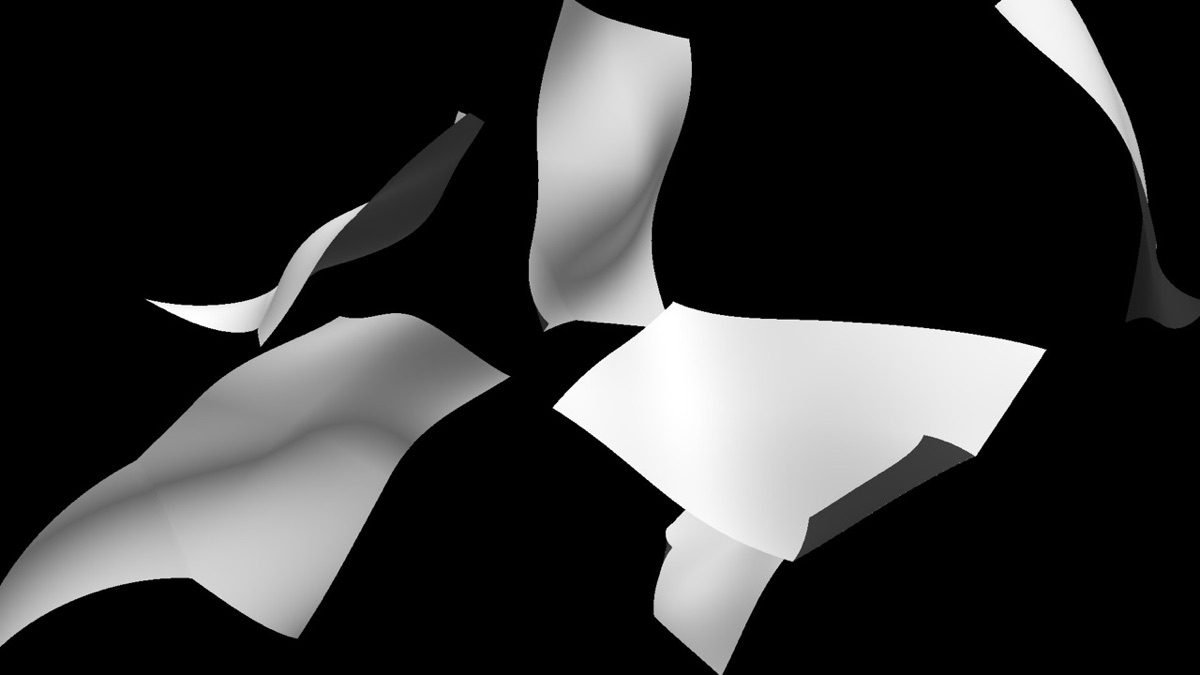
A simulation plugin that gives a layer realistic paper physics. You can make it blow in the wind, fall to the floor, and crumple, which makes it useful for paper, leaves, and similar objects.
A Position-Based Dynamics solver lets you make paper that flips over as it falls, using Gravity, Air Resistance, Stiffness (Cloth-Paper), and Tumble in Physics, and Flutter in Physics › Wind.
02
Floor collision
Turn on Floor and choose a floor layer (Floor Layer) or a virtual floor (Virtual Plane) in Floor Type, and the paper lands on it and slides across it. The shadow cast on the floor is set with Cast on Floor in World Light › Shadows.
Turn on the Wave, Crumple, Dent, Roll, and Fold groups and Wind inside Physics individually to make the paper sway, crumple, roll up, and fold.
04
Staggered drops of multiple sheets with Scatter
Duplicate the paper with Count in Scatter, then use Sequential Drop and Stagger in Physics to drop the sheets one at a time with a delay between them.
Quick start
Follow these steps in order the first time.
Prepare the layer to use as paper (a letter, a photo, etc.), then apply Effect › TMC › TMC Paper to a new solid.
Set the front-side layer in Paper Layer and, if needed, the back-side layer in Back Layer.
Turn on Physics and shape how the paper falls with Gravity and Air Resistance. Add fluttering at the edges with Flutter in Physics › Wind.
If you need a floor, turn on Floor. For multiple sheets, raise Count in Scatter.
If you use a 3D camera, Use Composition Camera makes the paper move with the camera.
Parameter guide
Listed in the same order as the Effect Controls panel.
Effect Controls · TMC PaperClick a group to expand it
Basic parameters7
Paper Layer
Image/comp layer used as the front of the paper
Back Layer
Separate texture layer for the back of the paper (same as the front if left empty)
Scale
Subdivisions
Smoothness
Use Composition Camera
Whether to use the comp's 3D camera as is
Anti-aliasing
Reduces jagged edges. Raise it for the final render.
Off2x3x4x
Transform6
Position X
Position Y
Position Z
Rotation X
Rotation around the X axis
Rotation Y
Rotation around the Y axis
Rotation Z
Rotation around the Z axis
Anchor2
Lock
Falloff
How much the effect weakens with distance
Physics17
Enable
Whether to run the physics simulation that makes the paper fall and bend under gravity and wind
Gravity
Acceleration that pulls the paper downward
Air Resistance
Drag that reduces motion in proportion to speed
Stiffness (Cloth-Paper)
Material stiffness: near 0 the paper is limp like cloth, near 100 it is stiff like paper
Sim Detail
Density of the physics simulation grid (lower gives large, smooth folds and is faster; higher adds fine wrinkles but is slower)
Pin in Place (spin only)
Whether to hold the sheet in place so wind and Tumble only spin and flutter it without drifting
Paper Collision
Whether sheets collide with and stack on each other (heavy to compute; best with a few sheets)
Velocity X
X component of the initial velocity vector when the simulation starts
Velocity Y
Y component of the initial velocity vector
Velocity Z
Z component of the initial velocity vector
Tumble
Speed at which the paper spins on its own as it falls (degrees/second)
Start Time
Time at which the simulation starts (seconds)
Sequential Drop
Whether to drop the sheets one at a time, with a delay between each
Stagger
Delay between each sheet's start time when Sequential Drop is on (seconds)
Stagger Random
Randomness
How much the motion values vary from sheet to sheet
Seed
Changes the random pattern. The same value always gives the same result.
Physics › Wind11
Enable
Whether to apply wind to the paper (with Physics off, it still ripples the sheet)
Strength
Frequency
Direction
Depth Angle
Angle at which the wind tilts into or out of the screen
Origin
Where the wind direction arrow is drawn in the Composition panel (a handle only; it doesn't affect the result)
Turbulence
Irregular swirling component mixed into the wind
Flutter
Strength of the fast fluttering at the paper's edges
Speed
Offset
Seed
Changes the random pattern. The same value always gives the same result.
Floor12
Enable
Whether to use a floor that falling paper lands and settles on
Floor Type
Floor LayerVirtual Plane
Floor Layer
Height Offset
Floor Height
Floor Tilt X
Floor Tilt Z
Floor Size
Slide
How far the paper slides after it lands on the floor
Enable Occlusion
Whether the floor layer hides paper that falls behind it
Occlusion Depth Bias
How far paper must go behind the floor before it is hidden, in px (raise it to keep paper resting on the floor visible; negative values also hide paper just in front of the floor)
Occlusion Softness
Wave5
Enable
Whether to add a wave deformation to the paper
Amplitude
Maximum height of the wave deformation
Frequency
Speed
Direction
World Light5
Enable
Whether to light the paper with a virtual light
Ambient
Diffuse
Light Direction
Light Height
World Light › Shadows8
Enable
Whether to draw the shadows cast by the World Light
Cast on Paper
Whether shadows are cast onto other sheets of paper
Cast on Floor
Whether shadows are cast onto the floor layer
Shadow Color
Shadow Opacity
Softness
Bias
Value that offsets the shadow depth comparison to remove self-shadowing artifacts (px; too high and the shadow looks detached from the paper)
Quality
Calculation quality. Higher values are smoother but render more slowly.
LowMediumHighUltra
Crumple5
Enable
Whether to crumple the paper with a fractal noise deformation
Amount
Scale
Detail
Seed
Changes the random pattern. The same value always gives the same result.
Dent6
Enable
Whether to press a dent into one spot of the paper
Depth
Radius
Sharpness
Position X
Position Y
Roll4
Enable
Whether to roll the paper up from an edge like a cylinder
Amount
Radius
Direction
Fold5
Enable
Whether to fold the paper along a line
Angle
Position
Direction
Crease
How sharply the fold line creases
Scatter21
Enable
Whether to duplicate the paper into multiple scattered sheets
No Overlap
Whether to place the scattered sheets so they don't overlap
Count
Number of sheets to scatter
Offset X
Offset Y
Offset Z
Rotation
Scale
Size Random
Gives each element a different, random size.
Scatter Amount
Scatter X (px)
Scatter Y (px)
Scatter Z (px)
Rotation Amount
Rotate X (deg)
Rotate Y (deg)
Rotate Z (deg)
Noise Amount
Noise Evolution
Phase Offset
Seed
Changes the random pattern. The same value always gives the same result.
Animation1
Time Offset
Practical tips
The physics simulation is recalculated from the moment of the drop with a fixed timestep, so you get the same result regardless of render order.
If Back Layer is left empty, the front layer is also used for the back.
If the edges look jagged, raise Anti-aliasing to 2x or higher. At very high resolutions the factor is lowered automatically to protect memory (at 4K, for example, it tops out at 2x).
Where to use it
A lyrical scene with letters or sheet music scattering in the air
A flashback sequence where several photos fall and pile up on the floor