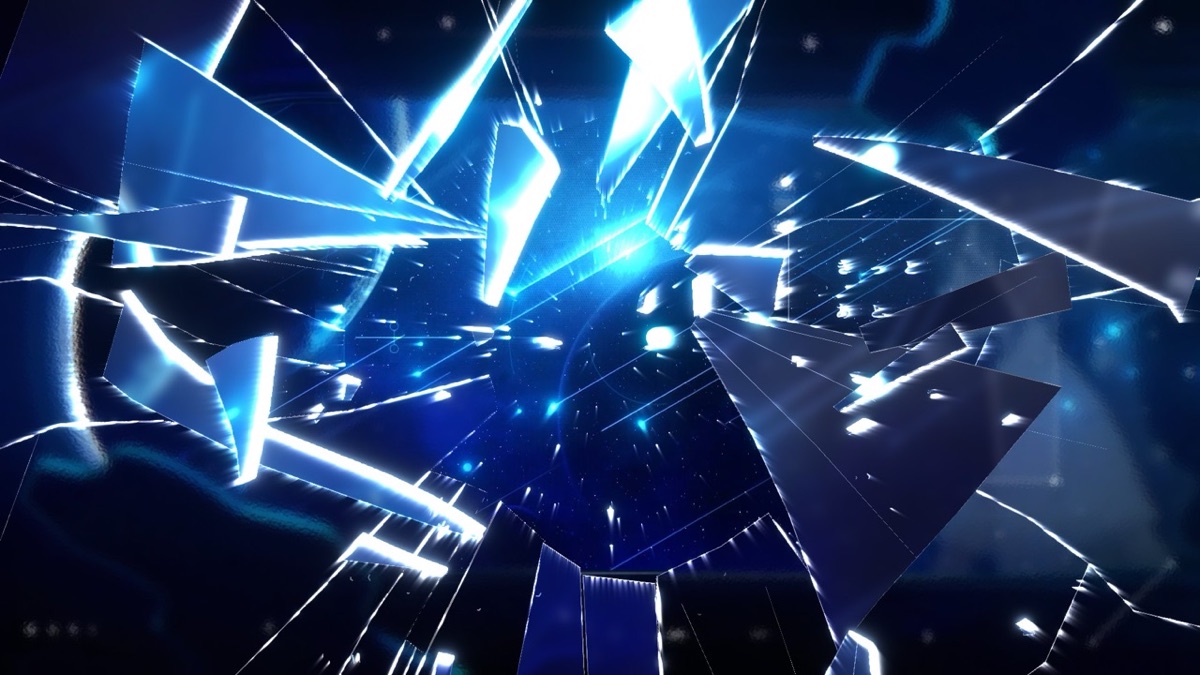
Key features 01 7 Style presets Apply Liquid Glass, Clear, Frosted, Thick Lens, Crystal (Faceted), Shattered, or Bullet Hole with one click.
02 Shards calculated from a real crack structure Cracks are not a noise pattern; they come out as polygon shards calculated from an actual crack structure. The edges of the cracks left behind and the shards flying off line up exactly.
03 Shatter Animation Shatter Animation projects the shards in 3D and scatters them with Gravity, Spin, Tumble, and Toward Viewer. Turn on Use Comp Camera in Shatter to project them through the comp camera.
04 Output Mode (transition elements) Render shattering transition elements directly with Matte (Transition) and Cracks Only in Output Mode.
Quick start Follow these steps in order the first time.
Apply Effect › TMC › TMC Glass to the layer that will form the glass shape (a shape layer is recommended). Choose a preset in Style . Set the thickness and refraction of the glass with Thickness, IOR, and Refraction in Glass . To break it, turn on Enable Impact in the Shatter group and keyframe Crack Progress. To send the shards flying, set Animate in Shatter Animation to Manual (Progress) or Auto (Time). Parameter guide Listed in the same order as the Effect Controls panel.
Effect Controls · TMC Glass Click a group to expand it
Basic parameters 11 Style
Look preset pop-up menu that changes several values at once Custom Liquid Glass Clear Frosted Thick Lens Crystal (Faceted) Shattered Bullet Hole
Mode
Shape Layer (Auto) Matte Layer
Shape Layer
Layer to read the shape from
Refract Layer
Background layer that the glass refracts
Layer Position X
X offset that moves the Refract Layer like footage
Layer Scale
Scales the Refract Layer up or down around its center
Shard Coverage
Percentage of shards that show the Refract Layer (the rest refract the background behind them)
Coverage Seed
Seed that decides which shards Shard Coverage picks
View
Diagnostic pop-up menu for checking that the shape source is coming in correctly Result Shape Alpha SDF Normals
Glass 12 Bevel Width
Width of the zone where the glass thickens inward from the edge
Profile
Pop-up menu for choosing the cross-section shape of the edge bevel (the Bevel Width zone) Lens (Convex) Chamfer Squircle Flat (Edge Only)
Thickness
Thickness of the glass body (multiplies the refraction distance)
Refraction
How strongly the background appears bent
Refract Offset X
Shifts the background seen through the glass sideways to aim it
Refract Scale
Magnification of the background seen through the glass
Dome
How much the whole glass surface bulges into a rounded dome
Blur
Radius for clouding the background behind the glass
Surface 7 Texture
Pop-up menu for choosing the source of the bump pattern on the glass surface Off Procedural Layer
Pattern
Pop-up menu for choosing the type of procedural bump pattern Noise Ridged Reeded Hammered Crackle
Relief
Depth of the bumps (how far the normals are bent)
Detail
Number of layers stacked into the bump pattern
Dispersion 2 Dispersion
How much the rainbow separates as each wavelength refracts differently
Edge Concentration
How much the dispersion is concentrated toward the edges
Lighting 9 Light Angle
The direction the light comes from
Reflection 6 Fresnel Strength
Strength of the Fresnel effect, where reflections get stronger at shallower viewing angles
Edge Highlight
Thin white line running along the outline (the key element that makes it read as glass)
Edge Width
Thickness of that line (px)
Sky Color
Environment color reflected from above
Ground Color
Environment color reflected from below
Tint 2 Glass Tint
Color of the glass body, deeper where the glass is thicker
Shatter 30 Facet Source
Pop-up menu for choosing what the facet cells are built from Procedural Voronoi Self Luminance Layer Luminance
Facet Scale
Size of each facet
Facet Levels
Number of brightness levels used to split the facets
Facet Distortion
Amount of distortion on facet borders for natural-looking shard shapes
Crack Width
Thickness of the cracks between facets
Enable Impact
Checkbox that turns on a bullet-hole-style impact point with a hole and radial and ring cracks
Impact Offset X
Offset of the impact point from the shape center, in px
Hole Radius
Radius of the hole punched at the impact point
Hole Jaggedness
How jagged and broken the hole's rim looks instead of a smooth circle
Radial Cracks
Number of cracks running outward from the impact point
Ring Cracks
Number of concentric cracks around the impact point
Impact Origin
Whether the impact point is the shape center or a point you place Auto (Shape Center) Impact Point
Impact Point
Impact point you drag in the Composition panel (layer % coordinates; 50/50 = center)
Use Comp Camera
When on, uses the comp's 3D camera to compute shard perspective
Glass Thickness
Thickness of the broken edge revealed when a shard tilts
Crack Progress
How far the cracks have spread
Forks
How often cracks fork in two
Minor Rays
Amount of short cracks between the main radial cracks
Skip Gaps
How much the cracks are broken up by gaps
Glitter
Amount of sparkle dotted along the cracks
Micro Stubs
Amount of tiny short branches sprouting from the cracks
Crack Refraction
How strongly the cracks bend the background like grooves
Crack Flash
Intensity of the flash along each crack as it spreads
Shatter Animation 22 Animate
Pop-up menu for how the shatter animation runs: Off, Manual (Progress) driven by the Progress value, or Auto (Time) running on its own from Start Time Off Manual (Progress) Auto (Time)
Start Time (s)
Time the shatter starts in Auto (Time) mode (seconds)
Shatter Radius
Radius the shatter spreads to from the impact point (0 = the whole pane)
Wave Speed
Speed at which the shatter spreads outward
Delay Random
Amount of random variation in when each shard breaks away
Release Time (s)
Time it takes a shard to fully break away from the pane
Speed
Speed at which the shards fly off
Toward Viewer
How much the shards fly toward the front of the screen (toward the viewer)
Gravity
Acceleration pulling the flying shards down
Spin
Speed at which shards spin in place in the screen plane
Tumble
Speed at which shards tumble end over end in 3D
Shard Thickness
Side thickness of the flying shards
Side Brightness
How much those sides brighten when lit
Physics Seed
Seed for each shard's random speed and rotation
Debris
Amount of small debris scattered between the large shards
Shatter Flash
Intensity of the full-frame flash at the moment of breaking
Shard Reflection 10 Decal Layer
Layer overlaid on each shard like a reflection (each shard shows a different part of it at a random scale and angle)
Scale Random
Amount of random variation in decal size per shard
Decal Apply
Whether decals go only on the flying shards or also on the pane still in place Shards Only Pane + Shards
Output 3 Output Mode
Composite Matte (Transition) Cracks Only
Composite On Original
Whether to place the result over the original in Matte mode
Practical tips On a shape layer, set Mode to Shape Layer (Auto) so it reads the vector geometry directly for a crisp silhouette. To choose exactly what gets refracted, assign a layer to Refract Layer . To make a logo break apart into scattering pieces, assign your logo layer to Decal Layer in Shard Reflection. The basic refraction look is calculated on the GPU; Impact and the shard animation are calculated on the CPU. Where to use it Liquid-glass style UI and titles A transition where the frame shatters at a turning point in the song Action cuts with bullet holes and spreading cracks Technical notes Refraction, dispersion, and Fresnel are calculated in the same shader. The shard animation projects the shards in 3D (through the comp camera when Use Comp Camera is on), and also calculates near-plane clipping and the prism side faces. Supports 8 · 16 · 32 bpc, SmartFX, and Multi-Frame Rendering. ← Previous TMC Extrude Next → TMC Speedline This is a Pro-only plugin A one-time purchase of Pro for $199 gets you all 25 plugins, plus any plugins added later.